
Chrome Extension
TrendNow Extension to Enhance Google Trends
TrendNow Chrome Extension - Enhance Google Trends Global Trends Together
Transform your Google Trends experience with comprehensive trend analytics and insights powered by TrendNow.
How to Use
TrendNow Chrome Extension works on Google Trends website.
- Install TrendNow Chrome Extension from Chrome Web Store.
- Visit Google Trends website.
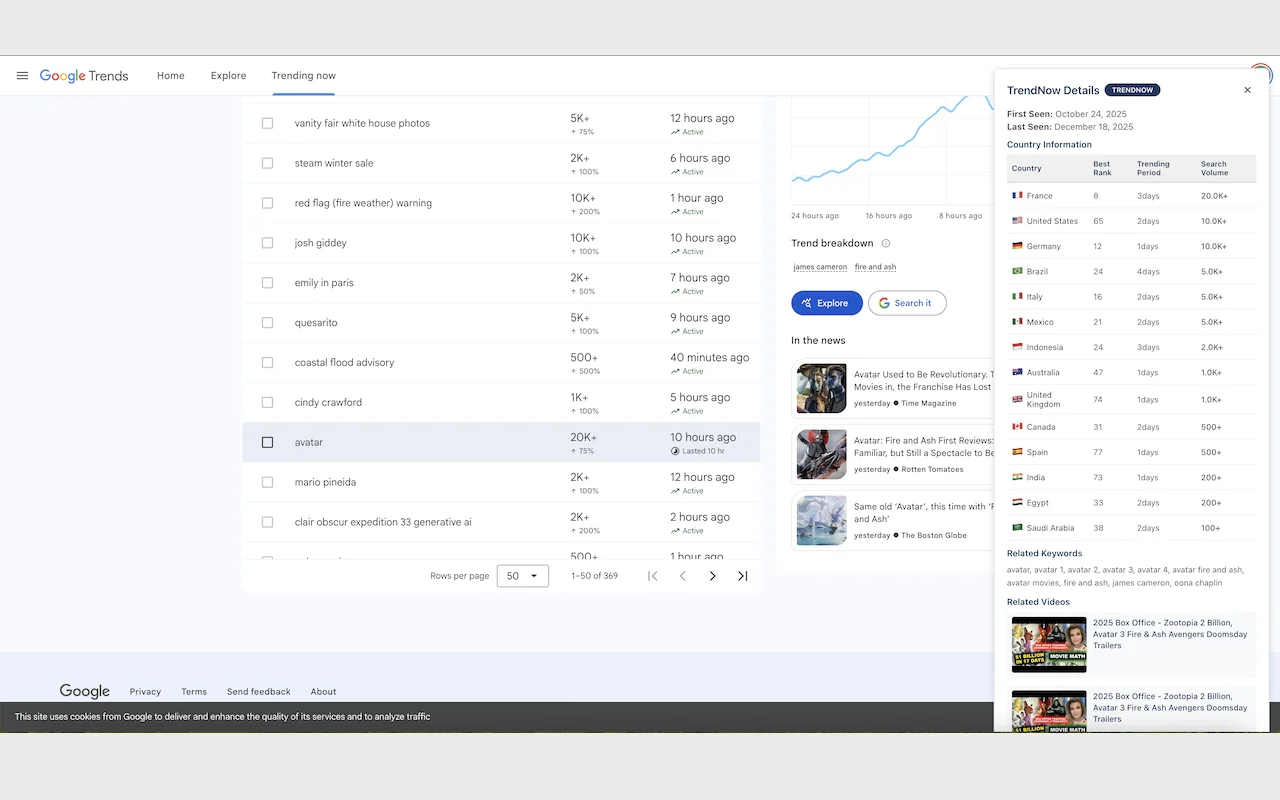
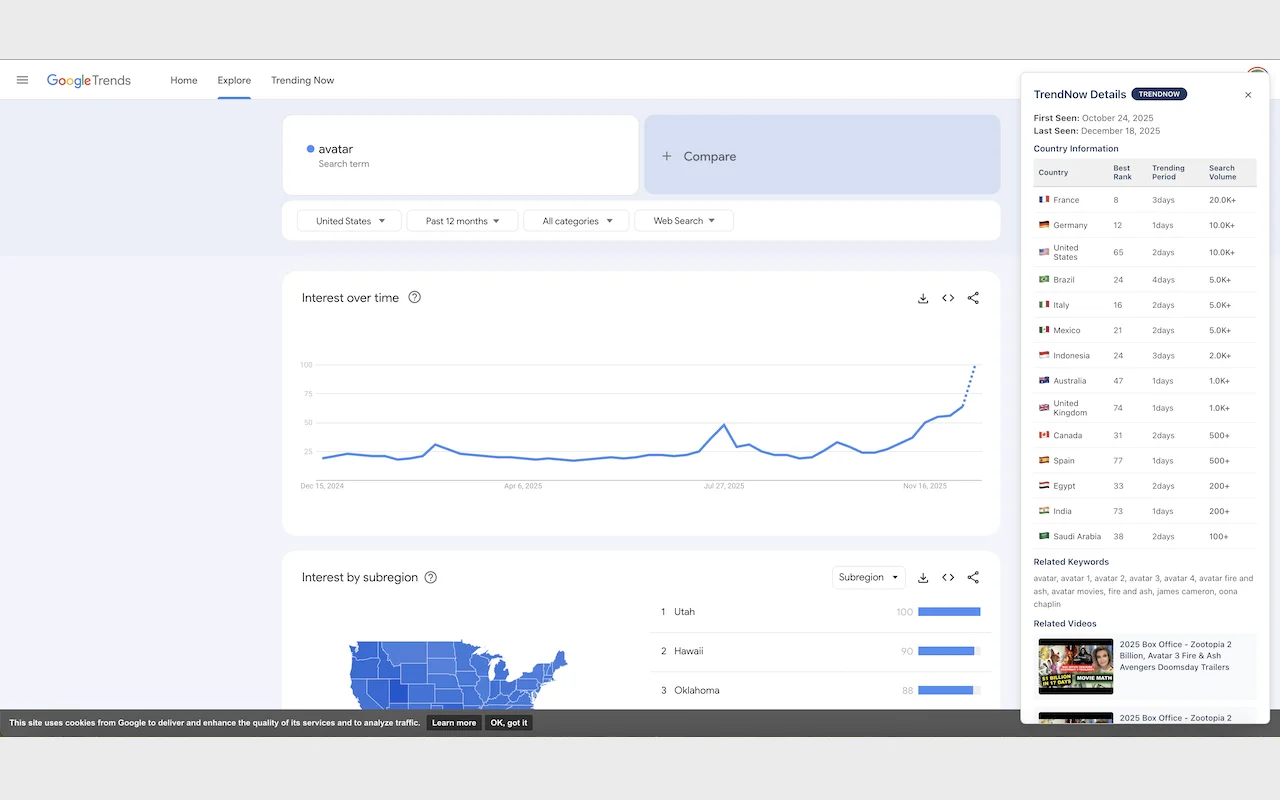
- When you search for trends on Google Trends or click on trends in real-time trends, you can see information provided by TrendNow in the top right corner.
- Please refer to the screenshots below.
Screenshots
Privacy & Security
- No user data collection
- No tracking or analytics
- All data fetched from public TrendNow API
- Open source and transparent
Technical Details
- Manifest V3 compliant
- Lightweight and fast
- No background processes
- Minimal permissions required
- Works offline (cached data)
Support
For questions, feedback, or support, please visit our website or contact us through the TrendNow platform.